


Understanding the Importance of Zoom Meeting Etiquette
Imagine stepping into a room filled with professionals, all eyes on you, and you're in your pajamas. Sounds like a nightmare, right? Well, in the realm of virtual meetings, this scenario is not only possible but has become a common faux pas. Welcome to the world of Zoom meeting etiquette, where the rules of engagement have taken on a digital twist.
As we navigate the brave new world of virtual interactions, understanding the importance of Zoom meeting etiquette is paramount. It's not merely about muting your microphone or ensuring a tidy background; it's about projecting professionalism, respect, and consideration in a digital space. It's about mastering the art of communication without the advantage of physical cues.
Our comprehensive guide to Zoom etiquette will arm you with the necessary skills to handle any virtual interaction with grace and confidence. From mastering the basics of online meeting manners to presenting yourself with confidence in a professional Zoom setting, we've got you covered.
Are you ready to enhance your digital communication skills and overcome common challenges in virtual meetings? Are you prepared to command respect and consideration in your virtual interactions? If so, you're in the right place. Let's dive into the fascinating world of Zoom meeting etiquette and transform your virtual interactions into a seamless, enjoyable experience.
Mastering the Basics: A Guide to Online Meeting Manners
So, you've acknowledged the importance of Zoom meeting etiquette and are ready to dive into the nitty-gritty. Excellent! Let's start with the basics, the bread and butter of virtual interaction tips. Think of this as your virtual handshake, the first impression you make in the digital realm.
First things first, punctuality is just as crucial online as it is offline. Arriving late to a Zoom meeting can be disruptive and disrespectful. So, set a reminder, brew your coffee early, and ensure you're ready to go at least five minutes before the scheduled start. Remember, your digital entrance should be as smooth as your real-life one.
Next, let's talk about your digital attire. While it might be tempting to attend meetings in your comfy pajamas, it's essential to maintain a professional appearance. Dress as you would for an in-person meeting. This not only shows respect for your colleagues but also boosts your confidence in digital communication.

Now, onto the technical side of things. Familiarize yourself with the Zoom interface. Know how to mute and unmute your microphone, turn your video on and off, and use the chat function. These may seem trivial, but mastering these basics can prevent awkward situations and keep the meeting flowing smoothly.
Lastly, be mindful of your surroundings. Choose a quiet, well-lit space with a neutral background. This minimizes distractions and keeps the focus on you and your contributions.
Remember, the key to mastering Zoom meetings lies in preparation and respect. With these basic online meeting manners under your belt, you're well on your way to navigating virtual meetings with grace and confidence. Ready to level up your Zoom game? Stay tuned!
Professional Zoom Etiquette: Presenting Yourself with Confidence
Now that you've mastered the basics, it's time to elevate your game. Welcome to the world of professional Zoom etiquette, where you'll learn to present yourself with confidence in any virtual interaction. Let's dive in, shall we?
First off, let's address the elephant in the room - your camera. It's not just about having it on, it's about how you use it. Are you making eye contact? Yes, that's right. In the digital realm, looking directly into the camera equates to making eye contact in person. It shows you're engaged and attentive. So, position your camera at eye level and resist the urge to stare at your own image. It's a small tweak, but it can make a world of difference in your virtual interaction.
Next, let's talk about body language. Just because you're not in the same room doesn't mean your non-verbal cues are invisible. Sit up straight, use hand gestures when appropriate, and remember to smile. These are all signs of confidence in digital communication.

Now, onto the art of conversation in Zoom meetings. Be an active listener. Show you're following the discussion by nodding and using verbal affirmations like "I see" or "That makes sense". And when it's your turn to speak? Be clear, concise, and to the point. Remember, brevity is the soul of wit, especially in virtual meetings.
Lastly, don't forget to check your tech. A smooth meeting is a successful meeting. Make sure your internet connection is stable, your microphone is clear, and your video quality is good. And always have a backup plan, because, let's face it, technology can be unpredictable.
With these professional Zoom etiquette tips, you're not just participating in a virtual meeting, you're commanding it. So, are you ready to navigate the digital realm with newfound confidence? Of course, you are. Onwards and upwards!
Virtual Interaction Tips: Enhancing Communication in Digital Spaces
Stepping into the realm of Virtual Interaction Tips: Enhancing Communication in Digital Spaces, let's delve into the art of mastering Zoom meetings. You've got the basics down, and you're presenting yourself with confidence. But how do you make your virtual interactions more engaging, more dynamic? How do you ensure that your voice is heard, your ideas are understood, and your presence is felt, even through a screen?
Firstly, let's talk about the power of the pause. In a Zoom meeting, it's easy to talk over each other, leading to confusion and missed opportunities for interaction. So, when you're done speaking, take a moment. Pause. Allow others to digest your words and respond. This simple act of silence can dramatically enhance the flow of conversation and ensure everyone's input is valued.
Next, let's address the importance of visual aids. In a virtual setting, a picture truly is worth a thousand words. Use screen sharing to present your ideas visually, whether it's a PowerPoint slide, a document, or a video. This not only makes your point clearer but also breaks the monotony of a long meeting. But remember, always ask for permission before you share your screen. It's not just good Zoom meeting etiquette, it's a sign of respect.
Finally, don't forget the power of personalization. A little small talk, a friendly greeting, or a simple check-in can go a long way in building rapport and fostering a positive virtual environment. After all, we're all humans behind those screens, aren't we?
Mastering these virtual interaction tips will not only boost your confidence in digital communication but also enhance your ability to navigate virtual meetings effectively. So, are you ready to take your Zoom meetings to the next level? Of course, you are. Let's conquer the digital world, one meeting at a time!
Navigating Virtual Meetings: Overcoming Common Challenges
Now that we've dipped our toes into the pool of virtual interaction tips, let's dive into the deep end with Navigating Virtual Meetings: Overcoming Common Challenges. Even the most seasoned Zoom veterans can encounter choppy waters in the vast ocean of digital communication. But fear not, we're here to help you navigate these waves with the grace of a seasoned sailor.
First on our list of challenges is the dreaded technical glitch. Whether it's a frozen screen, a mute button that refuses to cooperate, or a Wi-Fi connection that's as stable as a house of cards, these issues can turn any professional Zoom meeting into a comedy of errors. The solution? Always have a plan B. Keep a phone nearby to join the meeting audio, have important documents saved in multiple locations, and consider investing in a reliable internet connection. Remember, preparation is not just a part of professional Zoom etiquette; it's the secret sauce to mastering Zoom meetings.
Next up, we have the challenge of maintaining engagement. In a virtual setting, it's easy for participants to drift off into their own digital worlds. The antidote to this digital daydreaming? Interaction. Ask questions, encourage discussions, and use features like polls or breakout rooms to keep everyone on their toes. A little interaction goes a long way in fostering a dynamic and engaging virtual environment.
Lastly, let's tackle the elephant in the virtual room - the challenge of balancing professionalism with authenticity. In the quest for perfect Zoom meeting etiquette, it's easy to lose sight of the human element. So, don't be afraid to show a little personality. A joke here, a personal anecdote there, can add a dash of color to the black-and-white world of online meetings. After all, isn't it our quirks and idiosyncrasies that make us uniquely human?
So, there you have it - your guide to overcoming common challenges in virtual interactions. With these tips in your digital toolkit, you're well on your way to navigating virtual meetings like a pro. Ready to set sail?
🚀 Taking Off: Your Journey to Mastering Zoom Meeting Etiquette Begins Here
Welcome to the digital age, where face-to-face interactions have been replaced by pixelated faces on screens and handshakes by virtual nods. Zoom, the video conferencing tool, has become a ubiquitous part of our lives, transforming the way we conduct business, learn, and socialize. But as we navigate this new frontier, we must ask ourselves: Are we equipped with the right Zoom meeting etiquette to maintain our grace, respect, and confidence in this virtual world? To help you with this, we've created a guide on how to conduct yourself in a business meeting.
Just as you wouldn't barge into a physical meeting room late, with a blaring radio, wearing your pajamas, the same principles apply in a virtual setting. The etiquette for virtual interactions is a new skill set that we all need to master. It's about more than just knowing where the mute button is. It's about understanding how to communicate effectively and professionally in a medium that lacks many of the non-verbal cues we rely on in face-to-face interactions. To better understand this, you can read our article on keeping your online interactions respectful and productive.
So, how can we ensure our confidence in digital communication? How can we navigate virtual meetings with the same ease as we would a boardroom? And what does it take to master Zoom meetings? This comprehensive guide will answer all these questions and more, providing you with practical tips and a roadmap to impeccable online meeting manners. For more tips on mastering digital communication, check out our guide on writing professional and courteous emails. Buckle up and get ready to become a Zoom virtuoso!

📸 Smile for the Camera: Crafting a Professional Zoom Profile That Leaves a Lasting Impression
Picture this: you're about to join a vital business meeting on Zoom. You've prepared your notes, your environment is quiet and professional, but have you considered the impression your Zoom profile might be making? Remember, your profile is often the first thing your colleagues or clients see, even before you turn on your camera. It's your digital handshake, your virtual business card.
Think of your Zoom profile as your digital ambassador. A professional, well-crafted profile can set the tone for successful business interactions, instilling confidence in your digital communication. It's not just about looking good; it's about demonstrating your commitment to professionalism and respect for others' time and attention.
So, what does your Zoom profile say about you? Is it a hasty, default setup, or does it reflect your professional persona? In the realm of virtual interactions, every detail counts. From the profile picture you choose to the name displayed, these elements can influence how you're perceived in the virtual meeting room.
Just as you wouldn't attend a business meeting in your pajamas, don't let an unpolished Zoom profile undermine your professional image. Let's delve into how to master your Zoom profile, ensuring it leaves a lasting impression that echoes your professionalism.
Mastering Your Zoom Profile: Steps to Success
- Select a Professional Profile Picture: Choose a high-quality, professional headshot for your profile picture. This should be a clear, front-facing image where you're dressed in business-appropriate attire. Avoid using casual or inappropriate images, as this can create an unprofessional first impression.
- Display Your Full Name: Display your full name, not just your first name or a nickname. This makes it easier for others to identify you, especially in larger meetings. If you have certifications or titles that are relevant to your profession, consider including them.
- Use a Professional Background: Zoom offers the option to use virtual backgrounds. Choose a background that is professional and non-distracting. A plain or office-like background is usually a safe bet.
- Set Your Default Settings: Ensure your default settings are set to mute your microphone and turn off your video when joining a meeting. This prevents any unexpected noises or visuals from being shared before you're ready.
- Include Your Professional Details: If applicable, include your job title and company name in your profile. This provides additional context to other meeting participants, especially if you're meeting for the first time.
- Check Your Zoom Profile Regularly: Regularly review and update your Zoom profile to ensure it continues to reflect your professional persona. This includes updating your profile picture if it becomes outdated and checking your default settings to ensure they're still appropriate.
🏡 Home Sweet Office: Setting the Stage for a Distraction-Free Zoom Meeting
As we plunge into the digital age, mastering the art of Zoom meetings has become as essential as knowing which fork to use at a formal dinner. The first step to impeccable Zoom meeting etiquette begins even before you hit the 'Start Meeting' button. It's all about setting the stage for a distraction-free, professional environment. This is a part of the broader concept of etiquette for social media interactions.
Imagine walking into a physical meeting room. Would you feel confident if it was cluttered, poorly lit, and filled with interruptions? Probably not. The same applies to your virtual meeting room. Your environment speaks volumes about your professionalism and can significantly influence the effectiveness of your communication.
Now, you might be wondering, how do I create a favorable environment for my Zoom meetings? It's simpler than you think. Start by choosing a quiet, well-lit space. Natural light is ideal, but if that's not possible, ensure your face is clearly visible and not backlit. Next, pay attention to your background. A neat, uncluttered backdrop is best. Remember, your colleagues don't need to see your laundry basket or your collection of Star Wars memorabilia. For more tips on creating a professional environment, check out our video etiquette guide.
And let's not forget about potential interruptions. Do your best to minimize them. This could mean informing your household about your meeting schedule or putting your pets in another room. Lastly, always test your setup before the meeting. A quick run-through can help you spot and fix any issues beforehand, saving you from any embarrassing technical hiccups during the meeting.
Mastering these virtual interaction tips will not only boost your confidence in digital communication but also set the tone for a productive and professional Zoom meeting. To further enhance your confidence in various aspects of life, explore our guide on navigating through life gracefully.
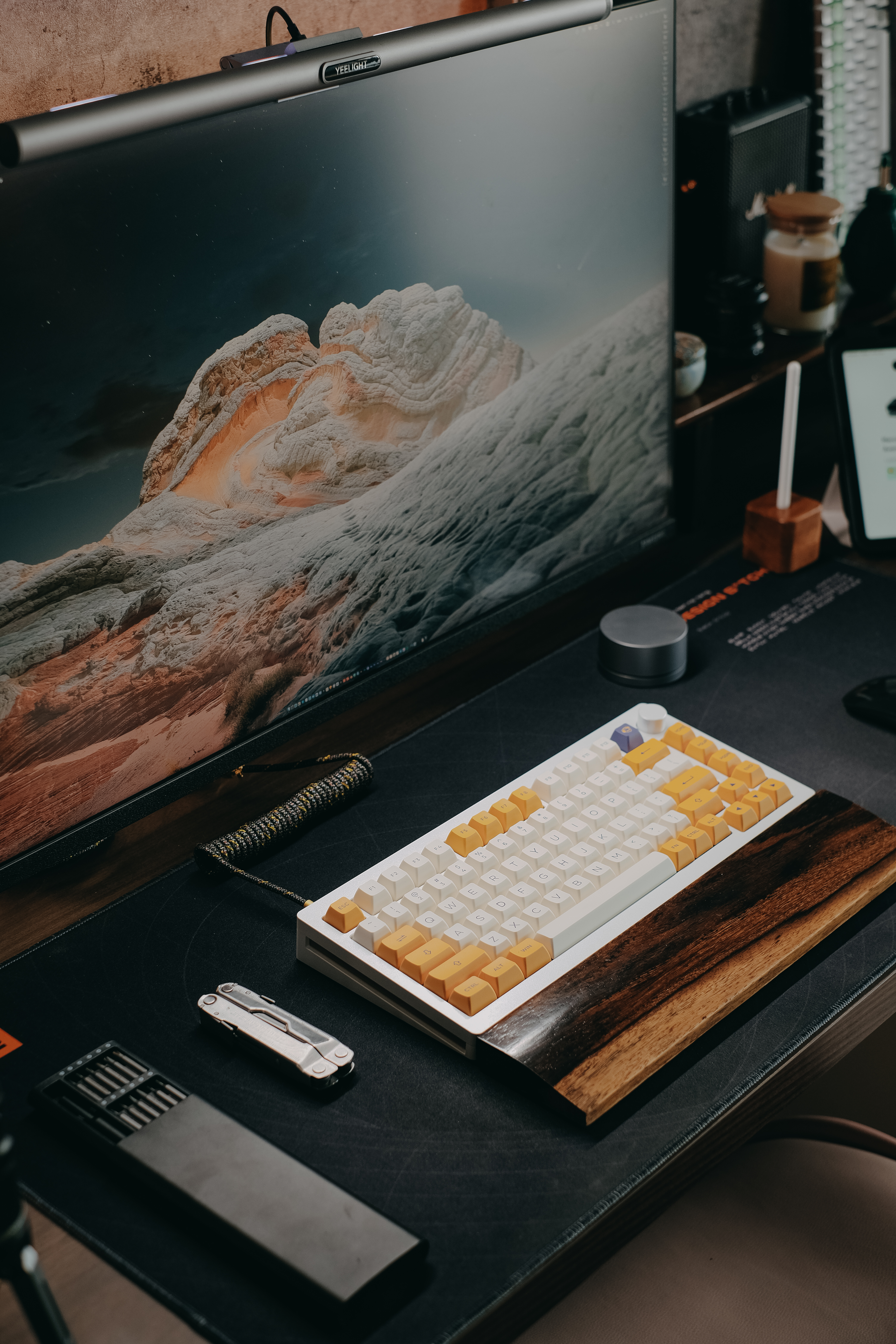
Mastering Your Virtual Environment: The Art of Zoom Preparation
- Lighting: Ensure your face is well-lit, ideally with natural light. If natural light is not available, use a lamp or ring light positioned in front of you. Avoid backlighting, as it can make you appear as a silhouette.
- Background: Opt for a clean, uncluttered background. If your real environment is not ideal, use a virtual background. Just remember to keep it professional and non-distracting.
- Clothing: Dress appropriately for the occasion. Even if it's a casual meeting, avoid overly informal attire. Remember, your upper body is visible, so dress as if you were meeting in person.
- Minimizing Interruptions: Inform those around you about your meeting to avoid unexpected interruptions. Use headphones to reduce background noise. If you have pets or children, ensure they are occupied or supervised during the meeting.
- Testing Your Setup: Do a quick test run before the meeting. Check your internet connection, microphone, and camera. This will help you identify and fix any technical issues in advance, ensuring a smooth meeting.
🎬 Lights, Camera, Interaction! Navigating the Nuances of In-Meeting Zoom Etiquette
Stepping into the virtual spotlight of a Zoom meeting can feel like a high-wire act without a safety net. But fear not, with our guide to online meeting manners, you'll be mastering Zoom meetings like a pro. The key is understanding and managing three critical aspects: audio, video, and interaction. This is part of the broader netiquette that everyone should be aware of.
First, let's talk audio. The golden rule? Mute when you're not speaking. It's the virtual equivalent of not talking over others. Remember, your microphone picks up everything - from your keyboard clicks to your coffee slurps. So, save your colleagues the symphony of background noise.
Next, video. While we all love a glimpse into everyone's home life, ensure your video feed doesn't become a distraction. A simple, clean background works best. And remember, good lighting is your friend - it can mean the difference between looking like a professional or a shadowy figure in a witness protection program.
Finally, interaction. Engaging in a Zoom meeting is not a spectator sport. Use the 'Raise Hand' feature to avoid interrupting others, and keep your reactions and comments appropriate. Remember, all eyes are on you, even when you're not speaking. This is part of the respectful ways to interact with others in various aspects of life.
With these virtual interaction tips, you'll not only survive your next Zoom meeting but thrive, exuding confidence in digital communication. Understanding why building confidence is important in etiquette can help you even more. So, are you ready to navigate your next virtual meeting with grace, respect, and confidence?
To give you a better understanding of the common mistakes made during Zoom meetings and how to avoid them, let's watch this informative video.
The video provides a clear picture of the common mistakes made during Zoom meetings. The next chart will further illustrate the percentage of Zoom users who have encountered these etiquette issues.
Common Etiquette Issues Encountered by Zoom Users
Zoom Etiquette Quiz
Test your understanding of Zoom etiquette with this short quiz.
Learn more about 🎯 Zoom Etiquette Quiz: Test Your Video Conferencing Manners 📷 or discover other Live Civilized quizzes.
🔧 Wrench in the Works? Gracefully Handling Zoom Hiccups and Mishaps
Ever been in a Zoom meeting where the host's cat decided to make a surprise appearance, or someone's audio decided to take an unscheduled break? We've all been there. The key to navigating these unforeseen hiccups is to exhibit patience, understanding, and a dash of humor. This is a part of the internet etiquette rules every internet user should know.
When technical issues arise, don't panic. Instead, calmly address the situation. For instance, if your audio or video is glitching, acknowledge it with a light-hearted comment, then proceed to troubleshoot. Remember, everyone understands that technology can be unpredictable. This is an essential part of the importance of netiquette in online interactions.
Disruptions during a meeting? It's all about how you handle them. If your neighbor decides to mow their lawn just as you're presenting, mute your microphone and switch to a chat-based interaction. If your child or pet makes an unexpected cameo, introduce them briefly, then gently steer the conversation back to the topic at hand. These are some of the new rules for interacting with others on social media.
Mastering Zoom meetings isn't just about knowing when to mute or how to set up your profile. It's also about navigating the unexpected with grace, confidence, and a touch of wit. By doing so, you not only maintain the flow of the meeting but also demonstrate your adaptability and resilience. And isn't that what being more mindful and civil in our interactions is all about?
👋 The Art of the Exit: Wrapping Up Your Zoom Meeting with Confidence and Grace
As the curtain falls on your virtual gathering, the way you conclude your Zoom meeting can leave a lasting impression. It's not just about clicking the 'End Meeting' button; it's about wrapping up with style and substance. Like the perfect dessert after a sumptuous meal, a well-executed conclusion can make your Zoom meeting memorable.
Begin by expressing gratitude. A simple "Thank you for your time" can go a long way in showing respect for the participants' time and contributions. This small gesture of appreciation can foster a positive atmosphere, enhancing your professional zoom etiquette.
Next, confirm the next steps. Whether it's a follow-up meeting, a task to be completed, or a deadline to be met, make sure everyone is on the same page. This helps to ensure that your virtual interaction tips are not just about the present, but also about paving the way for future collaborations.
Finally, exit gracefully. Don't just disappear like a phantom. A simple "Goodbye, everyone" or "See you next time" can make your exit feel less abrupt and more courteous. Remember, mastering zoom meetings is not just about the technical aspects; it's about navigating virtual meetings with respect and confidence.
So, are you ready to ace your next Zoom meeting? With these tips, you're well on your way to becoming a pro at digital communication, one meeting at a time.
🎓 Graduating from Zoom Novice to Digital Communication Pro: A Recap
As we've journeyed together through the labyrinth of Zoom meeting etiquette, we've discovered that mastering the art of virtual interactions is no small feat. It's a dance of digital diplomacy, where every click, mute, and background choice can make a world of difference. But why does it matter so much? Our FAQ on the importance of online etiquette sheds light on this.
Imagine navigating a ship through stormy seas without a compass. That's akin to venturing into the realm of digital communication without a solid grasp of Zoom etiquette. It's not just about avoiding the embarrassment of a cat filter mishap or an unexpected cameo from your toddler. It's about fostering professional relationships, ensuring effective communication, and exuding confidence even when you're in your home office. Our FAQ on the rules of modern etiquette can provide some guidance.
Remember, every Zoom meeting is a stage, and you're the star. Your profile, your environment, your participation, and even your ability to handle the unexpected, all contribute to the impression you make. The right etiquette for virtual interactions can mean the difference between a standing ovation and a silent exit.
So, as you venture forth, armed with these tips and tricks, remember that the goal is not just to survive your next Zoom meeting, but to thrive in it. After all, aren't we all striving to graduate from Zoom novices to digital communication pros?
So, how will you navigate your next virtual meeting? With trepidation or with the confidence that comes from mastering Zoom meetings? The choice, dear reader, is yours. If you're looking for more ways to improve your etiquette, check out our FAQ on self-help books that can help improve etiquette.
What's your biggest Zoom etiquette challenge?
We've all had our fair share of Zoom blunders. From unexpected interruptions to technical difficulties, we want to know what challenges you the most when it comes to Zoom etiquette. Please select the option that best describes your experience.




No comments yet. Be the first to share your thoughts!